
- 4.8 ★from 98 Google reviews
- 25,000+students trained at AdifySkills
- Sector 81Faridabad classroom
- Live onlinesame trainer, same projects
- 8 sitesbuilt and live
What you learn in a WordPress website designing course
WordPress is the website platform used by a very large share of the web, from personal blogs to big company sites. For local businesses in India it is the practical default: hosting is affordable, plugins exist for almost every need, and clients are never locked into one company.
This WordPress website designing course Faridabad learners join teaches you to plan, design and build complete websites: business sites, landing pages, blogs and online stores. You work with the block editor (Gutenberg), Elementor and WooCommerce, and learn the parts most courses skip: speed, SEO, security, forms that bring leads and handing a site over to a client.
You do not need to code. You will learn just enough HTML and CSS to fix small things with confidence, and you will see how AI tools can speed up design and content.
Simple Hinglish mein: domain se lekar live website tak, sab kuch khud banana seekhoge. Woh bhi aisi website jo sundar bhi ho aur business bhi laaye.
A website that looks finished is not the same as a website that works. Every project here is judged on design, speed, SEO and leads, not just looks.

Why learn WordPress website design in 2026
Every business needs a website, and most small businesses still do not have a good one. That gap is your opportunity.
Every business needs a site
Shops, clinics, schools, builders and service businesses all need a website that brings enquiries.
No coding needed
Modern WordPress with blocks and Elementor lets you build professional sites visually.
Huge plugin ecosystem
Forms, stores, bookings, SEO and security: there is a tested plugin for almost everything.
Works with marketing
WordPress fits naturally with SEO, Google Ads, Meta Ads and analytics, so your sites can grow businesses.
Steady freelance income
Website projects plus monthly maintenance give freelancers regular, repeat work.
AI makes you faster
AI helps with layouts, copy, images and small code fixes, so you deliver more in less time.
Sound familiar?
If any of this sounds familiar, this course was made for you.
- You depend on a developer every time a small change is needed on your site
- You tried building a site, but it looks amateur and nothing lines up
- Your website is slow and hardly anyone finds it on Google
- You get visitors but no calls, forms or WhatsApp messages
- You are not sure which theme, builder or hosting to choose
- You want to make websites for clients but do not know how to price or deliver
Who joins this WordPress website designing course
You need a laptop and basic computer skills. No coding or design background required.
Students and freshers
Learners who want a creative, practical skill with clear freelance and job options.
Business owners
Owners who want to build and manage their own website without depending on others.
Digital marketers
Marketers who want to build landing pages and fix sites themselves.
Freelancers and designers
Graphic designers and freelancers who want to offer complete website services.
Who should not join
We would rather tell you now than after you pay.
- You want to become a full-stack developer writing code from scratch. This course is about building with WordPress.
- You want a certificate without building real sites. Every module ends with a site or page you build.
- You expect a guaranteed job or fixed income. We give placement and freelancing support, not promises.
- You cannot practise at least 5 to 6 hours a week outside class.
After this course, you will be able to
Each skill is proven by a project in your portfolio, not by a quiz.

- Buy a domain, choose hosting and install WordPress with SSL
- Plan a website: pages, sitemap, content and calls to action
- Design with good layout, typography, colour and spacing
- Build pages with the block editor and with Elementor
- Make every page look right on mobile, tablet and desktop
- Add forms, WhatsApp, maps, reviews and booking options that bring leads
- Build an online store with WooCommerce and Razorpay
- Set up SEO with Rank Math, plus schema and sitemaps
- Make sites fast and secure with caching, image optimisation and backups
- Scope, price, deliver and maintain websites for clients
The course at a glance
| Course | WordPress Website Designing Course, from domain to fast, SEO-ready business websites |
| Structure | 8 modules plus a capstone project |
| Mode | Classroom at Sector 81, Faridabad, or live online. Weekday and weekend batches |
| Fee | Shared on call or at the free demo class, with an installment option |
| Language | Hinglish, with English notes and project files |
| Level | Beginner to Advanced |
| You build | 8 live websites and pages for your portfolio |
| You get | AdifySkills certificate, project files, placement and freelancing support |
| Before paying | Free demo class |
Your learning path, step by step
Five stages, each one built on the last. You plan a site before you design it, and design it before you build it.
Set up
Domains, hosting and WordPress basics.
Module 1Design
Themes, layout and design principles.
Module 2Build
Blocks, Elementor and business pages.
Modules 3 and 4Grow
Stores, SEO, speed and landing pages.
Modules 5 to 7Deliver
Clients, handover and your capstone.
Module 8 and capstoneFull WordPress Website Designing course curriculum: 8 modules and a capstone
Open any module to see every topic and what you build in it. Each topic is something you will use on a real project.
01WordPress foundationsFrom domain to dashboard
Basic
Topics
- How websites work: domain, hosting, DNS and SSL, in plain words
- Choosing hosting and installing WordPress
- The dashboard: posts, pages, media, menus and users
- Settings that matter: permalinks, reading, discussion
- Plugins and themes: how to choose safely
- Staging sites and safe testing
You build
Your own WordPress site, live on your domain with SSL.02Design principles and themesMaking sites look professional
Basic
Topics
- Layout, grids, spacing and visual hierarchy
- Typography and colour that match a brand
- Choosing a light, fast theme: Astra, Kadence or GeneratePress
- Global styles, colours and fonts
- Accessibility basics: contrast, alt text and labels
- Using Figma and Canva for simple mockups
You build
A style guide and homepage mockup for a local business.03Page building with blocks and ElementorTwo ways to build, both mastered
Basic
Topics
- The block editor: blocks, patterns and templates
- Full-site editing and template parts
- Elementor containers, widgets and global settings
- Headers, footers and theme builder templates
- Responsive editing for mobile and tablet
- Reusable sections and saving time
You build
A complete homepage built twice: once with blocks, once with Elementor.04Business websites that bring leadsPages, forms and trust
Intermediate
Topics
- Planning pages every local business needs
- Contact forms with email alerts
- WhatsApp buttons, click-to-call and Google Maps
- Reviews, testimonials and case studies
- Booking and appointment options
- Privacy policy and legal pages
You build
A full clinic or coaching centre website with working forms.05Online stores with WooCommerceSelling online the right way
Intermediate
Topics
- WooCommerce setup, products and variations
- Razorpay and other Indian payment options
- Shipping zones, taxes and GST basics
- Coupons, emails and order management
- Product pages that sell
- Store speed and security
You build
A small WooCommerce store with real payment testing.06SEO, speed and securitySites that rank, load fast and stay safe
Intermediate
Topics
- Rank Math setup, titles, descriptions and schema
- Sitemaps, Search Console and indexing
- Core Web Vitals and PageSpeed Insights
- Caching, image compression and WebP
- Backups, updates and security plugins
- Fixing a slow, broken or hacked site
You build
A speed and SEO audit with fixes on a real site.07Landing pages, tracking and AIPages for ads, and working faster
Advanced
Topics
- Landing page structure that converts
- Thank-you pages and conversion tracking
- Google Analytics 4, Tag Manager and Meta Pixel basics
- AI for layouts, copy, images and small code fixes
- Basic HTML and CSS for small changes
- A/B testing ideas for small budgets
You build
A landing page for an ad campaign with tracking set up.08Freelancing and client workFrom first enquiry to monthly retainer
Advanced
Topics
- Discovery calls and collecting content from clients
- Proposals, pricing and timelines
- Client feedback rounds and approvals
- Handover: logins, training videos and documentation
- Maintenance plans and monthly retainers
- Building your portfolio and getting reviews
You build
A proposal, price sheet and handover pack for a client.09Capstone: a real client websitePlan, design, build and launch
Advanced
Topics
- Pick a real business or a detailed brief
- Plan the sitemap, content and design
- Build, test on all devices and optimise
- Set up SEO, tracking and backups
- Present the live site to your trainer
You build
A complete, live business website for your portfolio.WordPress tools you will use
Grouped by job. Tools change fast, so we update the list before every batch and teach the ideas that work across all of them.
Core
The platform.
- WordPress
- Block editor
- Full-site editing
Themes and builders
Design and layout.
- Astra
- Kadence
- Elementor
Business features
Leads and sales.
- WooCommerce
- Razorpay
- WPForms
- Fluent Forms
SEO and speed
Rank and load fast.
- Rank Math
- LiteSpeed Cache
- Search Console
- PageSpeed Insights
Safety
Backups and security.
- UpdraftPlus
- Wordfence
- SSL
Design and AI
Faster creation.
- Figma
- Canva
- ChatGPT
- Claude
Tool names are trademarks of their owners. AdifySkills is not affiliated with any of these companies.
How every website in this course is built
The same process for a clinic site, a store or a landing page. Press the button to run it again.
Try it: build a page with blocks
This is how WordPress page building feels. Add blocks in the order you like, remove the ones you do not need, and watch the page take shape. In class you do this for real, in the editor.
Your page is empty. Add a block to start.
0 blocks
Fast, secure and SEO-ready, by habit
A pretty website that loads slowly or cannot be found on Google does not bring business. These are the PageSpeed and SEO targets we teach you to build toward on every project.
Performance
Image compression, caching, light themes and clean page builders.
SEO basics
Titles, meta descriptions, headings, schema, sitemaps and internal links.
Accessibility
Readable contrast, alt text, labels and sites that work for everyone.
Scores depend on hosting, content and plugins. You learn to measure them with Google PageSpeed Insights and fix what holds a site back.
The pages every local business website needs
Most small business sites in Faridabad miss at least half of these. You learn to plan and build all of them.
01Home
What you do, for whom, where, and one clear action to take.
02Services
A page for each main service, so each one can rank and convert.
03About
Real photos, real people and why customers should trust you.
04Reviews
Google reviews and case studies that answer doubts.
05Contact
Form, phone, WhatsApp, map and timings that match Google.
06Blog
Helpful articles that answer what customers search.
07Landing pages
Focused pages for Google and Meta ad campaigns.
08Legal pages
Privacy policy, terms and refund policy where needed.
8 projects you build in this course
Real briefs for real kinds of clients. Each one is reviewed by your trainer before it goes into your portfolio.
Personal portfolio site
Homepage built with blocks
Clinic or coaching website
Landing page for ads
WooCommerce store
Speed and SEO rescue
Client handover pack
Capstone: live client website
How every class works
Every session follows the same rhythm, so you always leave with something built, not just notes.
See it
The trainer explains one idea and shows it live, mistakes included.
Build it
You build the same thing yourself, in class, with help on hand.
Get feedback
Your work is reviewed on screen: what works, what to fix and why.
Practise it
A short assignment for the week, plus files and notes to keep.
Website building: what is real and what is hype
There are many shortcuts promised online. Here is what actually works.
What works well today
- Professional business sites without coding
- Online stores for small and medium catalogues
- Landing pages that you can change in minutes
- Ranking well with good SEO and content
- AI helping with layouts, copy and images
What still needs skill or care
- A great site in one click from an AI builder with no editing
- Free hosting for a serious business
- Installing dozens of plugins without slowing the site
- Ranking on Google with no content or effort
- Skipping backups and updates
Careers and earning options after the course
Outcomes depend on your effort and the market. These are the paths this training prepares you for.
WordPress developer (no-code)
Build and maintain WordPress sites for agencies and companies.
Web designer
Design and build business websites and landing pages.
Freelance website builder
Build sites for local businesses with monthly maintenance.
WooCommerce specialist
Set up and run online stores for brands.
Landing page specialist
Build and improve pages for ad campaigns.
Digital marketer with web skills
Combine websites with SEO and ads for better results.
Certificate, plus a portfolio that proves your skill
A certificate says you attended. Working projects say you can do the job. You get both.
- AdifySkills certificate of completion for the WordPress Website Designing Course
- 8 documented portfolio projects
- Templates, prompts and project files you can reuse
- Letter of recommendation for strong performers


Learn from Charanjeet Singh
Founder and lead trainer at AdifySkills, with 10+ years of training experience and real client campaigns behind every lesson.
Charanjeet builds WordPress and Elementor websites, landing pages and WooCommerce stores for real clients, and works on their SEO and speed. He teaches the way he works: explain the idea, show it live, let you build it, then review it honestly.
Students on Google mention his teaching style and real-time examples more than anything else. You will know who is teaching your batch before you pay, not after.
Meet him in a free demo classWhat our students say on Google
Unedited reviews from our Google Business Profile. AdifySkills was earlier known as Digital Charanjeet Academy, the name some reviewers use. This is a new course, so these reviews are from our other courses.
I joined a digital marketing course from Faridabad and at the beginning I wasn’t sure if I would be able to learn it. But the classes were very practical and interactive, which made the concepts easy to understand. Gradually my confidence improved, and after completing the course I also got a placement. Overall, it was a really good learning experience.
I have successfully completed my Digital Marketing course, and the overall journey has been truly amazing. I got the opportunity to learn from Charanjeet Sir, whose teaching style, real-time examples, practical insights, and deep industry experience make every concept extremely easy to understand. Whether you prefer online digital marketing classes or offline digital marketing training, this academy provides a smooth and valuable learning experience for everyone.
I’m currently doing the Digital Marketing course at Digital Charanjeet Academy, and honestly, the experience is really valuable. Yaha ka curriculum well-structured hai, teaching practical hai, aur faculty bahut supportive hai. Classroom environment bhi professional hai, aur management doubts aur guidance mein hamesha help karta hai.
I started my learning journey 4 months ago but I was also sceptical that how will I be able to learn everything online as I live preet vihar and the coaching was in Faridabad...but with the help of their online portal I was easier also... special thanks to Charanjeet sir...great person ❤️
Digital Charanjeet Academy offers the best digital marketing course in Faridabad. Trainers are professional and very supportive. Highly recommended digital marketing course for beginners and professionals.
98 reviews on Google
Read every review, good and bad, before you decide.
Read reviews on GoogleRecognised for practical training
AdifySkills has been recognised by Manav Rachna University and IFA for excellence in digital marketing training. What earned it is the same thing you get in this batch: practical teaching and honest feedback.
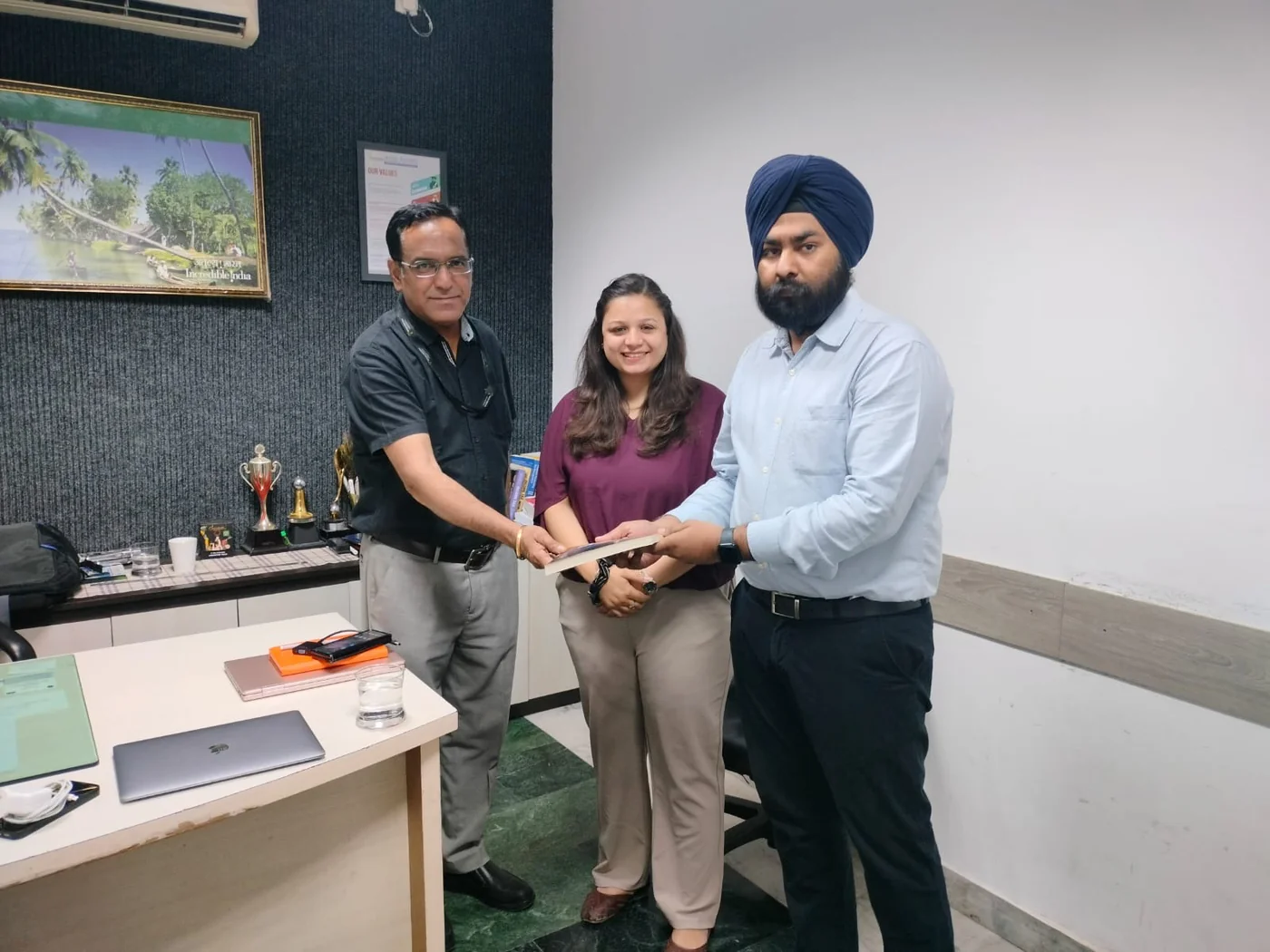
Classroom in Sector 81, or live online
Our centre is at Office No. D003, Ground Floor, Puri High Street, Sector 81, Faridabad, with parking and ground floor access. Learners join from Old Faridabad, NIT, Sector 15, Ballabgarh, Greater Faridabad and across Delhi NCR.
Online batches are live, not recorded: same trainer, same assignments, same review sessions. Recordings are there for revision.
Getting here
- Puri High Street, Sector 81, Greater Faridabad
- Easy from Ballabgarh, Neharpar and the Sector 80s
- Parking available, ground floor access
- Call before you visit: +91 8383891716
WordPress Website Designing Course fee
We share the fee on call or at your free demo class, after we understand your goal. Same fee for classroom and online.
- 8 modules and a capstone, with live classes
- 8 portfolio projects with trainer review
- Templates, notes and project files to keep
- Certificate of completion
- Placement and freelancing support
- Installment option, ask your counsellor for the plan
Fee shared on call or at the demo. Paid tool or API plans, if you choose any, are separate.
- Classroom or live online
- Weekday or weekend batch
- Installments available
Upcoming batches
Small batches fill quickly. Book a demo to hold your seat in the batch you want.
| Batch | Days | Mode | Next start date |
|---|---|---|---|
| Weekday | Monday to Friday | Classroom, Sector 81 | Ask on call or WhatsApp |
| Weekend | Saturday and Sunday | Classroom, Sector 81 | Ask on call or WhatsApp |
| Online live | Weekday or weekend | Live online | Ask on call or WhatsApp |
Call or WhatsApp +91 8383891716 for the next start date and timings.
WordPress Website Designing course in Faridabad: common questions
What is the fee for the WordPress Website Designing course in Faridabad?
We share the fee on call or at the free demo class. It is the same for classroom and online batches, and an installment option is available. Paid tool or API plans, if you choose any, are separate.
Do I need to know coding to design WordPress websites?
No. You build visually with the block editor and Elementor. You learn a little HTML and CSS only for small fixes, step by step.
Will I learn Elementor or Gutenberg?
Both. You build pages with the WordPress block editor and with Elementor, and learn when each is the better choice.
Do I need to buy a domain and hosting?
For your live portfolio site, yes, and we guide you to affordable options. For practice, you can also work on staging and local sites.
Will I learn WooCommerce?
Yes. Module 5 covers WooCommerce products, Razorpay payments, shipping, GST basics and order management.
Can I make money designing websites?
Many learners take freelance website projects and monthly maintenance work. Income depends on your skill, effort and market, so we do not promise fixed earnings.
Will my websites be fast and SEO-friendly?
You learn caching, image optimisation, Rank Math setup, schema and PageSpeed testing, and practise them on every project.
Is AI used in the course?
Yes. You use AI tools for layouts, copy, images and small code fixes, while learning to check and improve what AI gives you.
What computer do I need?
Any recent laptop with a stable internet connection. WordPress works in the browser.
Is the online batch live or recorded?
Live, with the same trainer, projects and reviews as the classroom batch. Recordings are available for revision.