
- 4.8 ★from 98 Google reviews
- 25,000+students trained at AdifySkills
- Sector 81Faridabad classroom
- Live onlinesame trainer, same projects
- 6 videosin your portfolio
What is AI video generation, in plain words
AI video generation means making video clips from a written description or a still image, instead of filming them with a camera. You type what you want to see, for example "a gift box on a sweet shop counter under warm diya light, slow push-in", and the model creates a short clip of that scene.
One clip is not a video, though. A real video still needs a script, a set of shots that match, a voice, music, captions and an edit that keeps people watching. This AI video generation course in Faridabad teaches that whole process, with AI doing the heavy lifting at every step.
Simple Hinglish mein: camera, studio aur actor ke bina bhi aap reels, ads aur explainer videos bana sakte ho. Bas aapko AI ko sahi tarah se direct karna aana chahiye.
AI video tools change every few months. That is why we teach the craft first (story, shots, prompts, editing) and then the current tools, so your skills keep working when the tools change.

Why learn AI video generation in 2026
Every business wants more video than it can afford to shoot. The person who can make good video quickly, without a crew, is in demand.
Video wins attention
Reels, Shorts and video ads take up most of what people scroll past each day. Businesses that post video regularly get noticed; the rest get skipped.
Shoots are expensive
A camera crew, location and actors cost more than most small businesses can spend every week. AI video brings the cost of one more video down sharply.
Models now look real
Current video models handle camera moves, lighting and even sound far better than they did a year ago. Used with skill, the results are good enough for real campaigns.
No camera, no problem
Camera-shy? You can make faceless videos, use an AI presenter or your own cloned voice, and still build a channel or a brand.
A skill you can sell
Shops, clinics, coaching centres and builders in Faridabad need reels and ads every month. One good monthly video package can become a steady client.
Works in Indian languages
AI voice and dubbing tools handle Hindi and other Indian languages, so one video can reach far more people than it could in one language.
The video problems you have right now
If any of this sounds familiar, this course was made for you.
- You know you should post video, but shooting every week is not possible
- You are camera-shy, or you do not have the space and lights for a shoot
- You tried an AI video tool, got a strange clip with melting hands and gave up
- Your AI clips look good alone but do not match when you put them together
- You spend hours editing a 30-second reel that gets no views
- Clients ask for video and you have to say no or outsource it
- You are not sure what is allowed: voices, faces, music and copyright
Who joins this AI video course
You do not need editing experience or a costly computer. You need a laptop, an internet connection and the patience to try a shot more than once.
Content creators
YouTubers and Instagram creators, including camera-shy ones, who want to post more often with better visuals.
Digital marketers
Marketers and social media managers who need product videos, ad creatives and reels for clients every week.
Business owners
Shops, clinics, coaching centres, builders and D2C brands in Faridabad who want to make their own promo videos.
Students and freelancers
Students, editors and designers who want a modern skill and a portfolio that gets freelance work.
Who should not join
We would rather tell you now than after you pay.
- You expect one prompt to make a finished viral video. Good AI video takes several tries and an edit.
- You want to copy a real person's face or voice without their permission. We do not teach that, and you should not do it.
- You expect a guaranteed job or fixed income. We give placement and freelancing support, not promises.
- You cannot give at least 5 to 6 hours a week to practice outside class.
After this course, you will be able to
Each skill is proven by a video in your portfolio, not by a quiz.

- Turn an idea into a script and a shot list that an AI model can follow
- Create consistent characters, products and scenes as AI images and keyframes
- Write text-to-video and image-to-video prompts with clear camera, light and style
- Generate shots that match each other, and fix common glitches
- Add AI voiceover in Hindi and English, music and sound effects the right way
- Use AI presenters and lip-sync, with consent and clear disclosure
- Edit shots into reels, ads and explainers that keep people watching
- Add captions, dub into other languages and package videos for each platform
- Plan tool costs and credits so you do not waste money
- Price and deliver a monthly video package to a paying client
The course at a glance
| Course | AI Video Generation Course, from idea to published video |
| Structure | 8 modules plus a capstone project |
| Mode | Classroom at Sector 81, Faridabad, or live online. Weekday and weekend batches |
| Fee | Shared on call or at the free demo class, with an installment option |
| Language | Hinglish, with English notes and prompt files |
| Level | Starts from zero. No editing experience needed |
| You build | 6 portfolio videos, plus your own prompt library |
| You get | AdifySkills certificate, prompt templates, placement and freelancing support |
| Before paying | Free demo class |
Your learning path, step by step
Five stages, each one built on the last. You learn to plan a video before you spend a single credit on generating it.
Plan
Video thinking, formats, scripts and storyboards with AI.
Modules 1 and 2Generate
AI images, keyframes, text-to-video and image-to-video.
Modules 3 and 4Voice
AI voiceover, music, sound and AI presenters.
Module 5Finish
Editing, captions, languages and platform packaging.
Modules 6 and 7Sell
Workflows, clients, ethics and your capstone.
Module 8 and capstoneFull AI video generation curriculum: 8 modules and a capstone
Open any module to see every topic and the video you make in it. Each topic is something you will use on a real project.
01Video thinking and the AI video landscapeWhat AI video can do today, and how to plan for it
Basic
Topics
- What current AI video models do well, and where they still struggle
- Formats: reels, Shorts, ads, explainers, faceless YouTube and product videos
- Hook, story and payoff: the structure behind videos people finish
- Text-to-video, image-to-video, video-to-video and AI presenters, explained
- Choosing tools by job and budget, and setting up a clean project folder
- Writing a one-page creative brief before you generate anything
You make
A creative brief and shot list for a 30-second reel for a real local business.02Scripts and storyboards with AIWords that direct the camera
Basic
Topics
- Using ChatGPT, Claude or Gemini to draft and tighten scripts
- Writing for the ear: short lines a voice can say naturally
- Scene-by-scene scripts: shot, action, voiceover and on-screen text
- Hooks for the first two seconds of a reel
- Hinglish and Hindi scripts that sound local, not translated
- Turning a blog post or product page into a video script
You make
A script and a 6-frame storyboard for a 30-second ad.03AI images and keyframesThe still frames your video starts from
Basic
Topics
- Image prompting: subject, setting, light, lens and style
- Consistent characters and products with reference images
- Product shots and lifestyle scenes for ads
- Aspect ratios for Reels, Shorts and YouTube
- Upscaling, fixing details and editing parts of an image
- Getting readable text into images, and when to add it in the edit instead
You make
A character sheet and 8 matching keyframes for your story.04Text-to-video and image-to-videoGenerating shots that look like one film
Intermediate
Topics
- Prompt anatomy: subject, action, camera, light, style and sound
- Camera language: push-in, pan, orbit, tracking, handheld and drone
- Start and end frames, and animating your keyframes
- Models that generate sound with the picture, and when to add sound later
- Variations, re-rolls and keeping shots consistent
- Fixing common glitches: hands, text, faces and morphing objects
- Budgeting credits so experiments do not empty your plan
You make
Four short shots that cut together as one smooth scene.05Voice, music and AI presentersMaking the video speak
Intermediate
Topics
- AI voiceover: choosing a voice, pacing, pauses and emphasis
- Hindi, English and Hinglish voiceovers that sound natural
- Voice cloning of your own voice, and the consent rules for anyone else
- AI presenters and lip-sync for explainers and course videos
- Music: licensed libraries, AI music and reading licence terms
- Sound effects and ambience that make a shot feel real
You make
A 60-second explainer with an AI presenter and a clean voiceover.06Editing and assemblyWhere AI shots become a video
Intermediate
Topics
- Editing basics in CapCut, with an introduction to Premiere Pro and DaVinci Resolve
- Cutting on the beat, pacing and J and L cuts
- Matching colour and light across shots from different tools
- Retention editing: pattern breaks, zooms and on-screen text
- Upscaling and smoothing AI footage
- Export settings for each platform
You make
A finished 30-second festive offer reel from your generated shots.07Captions, languages and platformsGetting the video seen
Advanced
Topics
- Auto captions, styling and burned-in subtitles
- Translating and dubbing into Hindi and other Indian languages
- Safe zones for Reels, Shorts and YouTube
- Thumbnails with AI, plus titles and descriptions that get clicks
- AI content labels on YouTube and Meta, and when to use them
- Upload checklists and scheduling a month of content
You make
A bilingual product teaser in Hindi and English, with a thumbnail.08Workflows, clients and ethicsTurning the skill into steady work
Advanced
Topics
- A repeatable pipeline from brief to export
- Your own prompt library and project templates
- Batch-making a month of videos for one brand
- Automating script, voice and file steps with n8n
- Client briefs, revisions, pricing and monthly packages
- Consent, likeness, deepfakes, copyright and brand safety
You make
A content calendar and price sheet for a real local business.09Capstone: campaign in a boxThree videos, one brand, reviewed by your trainer
Advanced
Topics
- Pick a real brand or your own channel
- Plan a three-video series with one look and one voice
- Generate, voice, edit and caption all three
- Trainer review on hook, clarity, consistency and pacing
- Present your work like you would to a client
You make
A three-video series you can show to clients or post on your channel.AI video tools you will use
Grouped by job. These tools change fast, so we update the list before every batch and teach the craft that works across all of them.
Video generation
Turn text or images into moving shots.
- Google Veo
- OpenAI Sora
- Kling
- Runway
- Hailuo
- Luma
- Higgsfield
Images and keyframes
Create the frames your shots start from.
- Midjourney
- Gemini image
- Ideogram
- Leonardo
- Adobe Firefly
Scripts and ideas
Draft, tighten and translate scripts.
- ChatGPT
- Claude
- Gemini
Voice and presenters
Voiceovers, dubbing and talking presenters.
- ElevenLabs
- HeyGen
- Synthesia
Editing and design
Assemble, caption and export.
- CapCut
- Premiere Pro
- DaVinci Resolve
- Canva
Automation
Connect the steps so batches run faster.
- n8n
- Google Sheets
- Google Drive
Tool names are trademarks of their owners. AdifySkills is not affiliated with any of these companies.
How an AI video is made, start to finish
This is the pipeline you practise in every project. Press the button to run it again.
Anatomy of a good video prompt
Most bad AI clips come from vague prompts. A good prompt reads like a director's note: who, doing what, seen how, in what light, in what style, with what sound.
In the course you write hundreds of these, compare the results side by side and learn which words each model actually listens to.
A young chai seller at a Faridabad street stall pours tea from a height into a clay kulhad, slow push-in from a low angle, 35mm lens, warm early-morning sun, steam catching the light, cinematic, shallow depth of field, natural colours, street ambience and the sound of pouring, no music.
- Subject
- Action
- Camera
- Light
- Style
- Sound
Try it: free AI video prompt builder
Pick one option in each row. Copy the prompt into any AI video tool and see what you get. This is how module 4 starts.
Videos you will be able to make
The same pipeline works for very different kinds of video. These are the ones local clients ask for most.
Reels for local shops
Festive offers, new arrivals and daily specials, posted every week without a shoot.
Product ads
Clean product shots, lifestyle scenes and short ad creatives for D2C and ecommerce brands.
Explainer videos
Simple explainers for coaching centres, clinics and service businesses, with an AI presenter or voice.
Faceless YouTube
Story, facts and education channels where the visuals, voice and edit carry the video.
Real estate visuals
Concept visuals and mood videos for projects, clearly marked as illustrations, not real footage.
Greetings and invites
Festival greetings, event invites and brand moments in Hindi, English or both.
Training and course videos
Lessons turned into short videos with slides, a presenter and captions.
Ad concept tests
Several quick ad ideas to test on Meta before spending on a full shoot.
AI video: what is real and what is hype
We tell you what these tools cannot do yet, so you plan around it instead of fighting it.
What works well today
- Short shots of a few seconds with clear camera moves
- Product, food, nature and city scenes
- Animating a still image you already like
- AI voiceover in many languages, including Hindi
- Presenter videos for explainers and courses
What still needs skill or a workaround
- Long scenes that stay consistent without editing
- Exact text, logos and small print inside the video
- Hands, fingers and fast complex motion
- The same face in every shot without reference images
- Free plans with enough credits for client work
6 portfolio videos you make in this course
Real briefs for real kinds of clients. Each one is reviewed by your trainer before it goes into your portfolio.
Festive offer reel for a local shop
Product ad with matching shots
60-second explainer with an AI presenter
Bilingual product teaser
Faceless YouTube pilot with thumbnail
Capstone: three-video campaign
How every class works
Every session follows the same rhythm, so you always leave with something made, not just notes.
See it
The trainer explains one idea and shows it live in the tools, mistakes included.
Make it
You make the same kind of shot or edit yourself, in class, with help on hand.
Get feedback
Your work is reviewed on screen: what works, what to fix and why.
Practise it
A short assignment for the week, plus prompt files and notes to keep.
Ethics and safety: making AI video the right way
AI video can be misused. Our students learn the rules first, because clients and platforms care about them, and because it is the right thing to do.
- Consent first. Never clone a voice or use a face without written permission from that person.
- No deepfakes of real people. No fake statements, fake endorsements or misleading news.
- Label AI content. Use the AI disclosure options on YouTube and Meta when a video shows realistic synthetic scenes.
- Respect copyright. Use licensed music and your own or permitted assets, and read each tool's terms for commercial use.
- Be honest with customers. Concept visuals of a property or product are marked as illustrations, not real footage.
What do AI video tools cost?
The honest answer: you can start free, but serious work needs one or two paid plans.
- Most AI video, image and voice tools offer free credits or a free tier to start
- Free credits run out quickly when you generate many video shots
- In class we show free routes first, then help you choose one or two plans that fit your work
- You learn to plan shots on paper and in images first, so you spend fewer video credits
- Tool fees are paid by you directly to the tool company, separate from the course fee
Careers and earning options after the course
Outcomes depend on your effort and the market. These are the paths our training prepares you for.
AI video creator
Make reels, ads and explainers for brands and agencies that want more video without bigger budgets.
Video editor with AI skills
Editors who can also generate shots, voices and captions get more work done and stand out in interviews.
Social media content producer
Plan and produce a month of video content for brands, as part of a marketing team or agency.
Freelance video packages
Sell monthly reel packages to shops, clinics, coaching centres and builders around Faridabad.
Your own channel
Start a faceless or presenter-led channel. Income from channels is never guaranteed, so treat it as a long-term project.
E-learning content
Help trainers and institutes turn lessons into short, clear course videos.
How to get your first video client
Module 8 covers this step by step, with templates you can use the same week.
- Make three sample videos for one type of business, such as cafes or clinics
- Show them to five local businesses in person or on WhatsApp
- Offer a small first project with a clear scope and number of revisions
- Turn happy clients into a monthly package of reels
- Ask for a Google review or testimonial after every project
Certificate, plus a portfolio that shows your work
A certificate says you attended. A portfolio of finished videos says you can do the job. You get both.
- AdifySkills certificate of completion for the AI Video Generation Course
- 6 finished portfolio videos
- Your own prompt library and project templates
- Letter of recommendation for strong performers


Learn from Charanjeet Singh
Founder and lead trainer at AdifySkills, with 10+ years of training experience and real client campaigns behind every lesson.
Charanjeet works with AI tools on real marketing work every day, from prompts and creatives to automations for clients. He teaches the way he works: explain the idea, show it live, let you make it, then review it honestly.
Students on Google mention his teaching style and real-time examples more than anything else. You will know who is teaching your batch before you pay, not after.
Meet him in a free demo classWhat our students say on Google
Unedited reviews from our Google Business Profile. AdifySkills was earlier known as Digital Charanjeet Academy, the name some reviewers use. This is our first AI video batch, so these reviews are from our other courses.
I joined a digital marketing course from Faridabad and at the beginning I wasn’t sure if I would be able to learn it. But the classes were very practical and interactive, which made the concepts easy to understand. Gradually my confidence improved, and after completing the course I also got a placement. Overall, it was a really good learning experience.
I have successfully completed my Digital Marketing course, and the overall journey has been truly amazing. I got the opportunity to learn from Charanjeet Sir, whose teaching style, real-time examples, practical insights, and deep industry experience make every concept extremely easy to understand. Whether you prefer online digital marketing classes or offline digital marketing training, this academy provides a smooth and valuable learning experience for everyone.
I’m currently doing the Digital Marketing course at Digital Charanjeet Academy, and honestly, the experience is really valuable. Yaha ka curriculum well-structured hai, teaching practical hai, aur faculty bahut supportive hai. Classroom environment bhi professional hai, aur management doubts aur guidance mein hamesha help karta hai.
I started my learning journey 4 months ago but I was also sceptical that how will I be able to learn everything online as I live preet vihar and the coaching was in Faridabad...but with the help of their online portal I was easier also... special thanks to Charanjeet sir...great person ❤️
Digital Charanjeet Academy offers the best digital marketing course in Faridabad. Trainers are professional and very supportive. Highly recommended digital marketing course for beginners and professionals.
98 reviews on Google
Read every review, good and bad, before you decide.
Read reviews on GoogleRecognised for practical training
AdifySkills has been recognised by Manav Rachna University and IFA for excellence in digital marketing training. What earned it is the same thing you get in this batch: practical teaching and honest feedback.
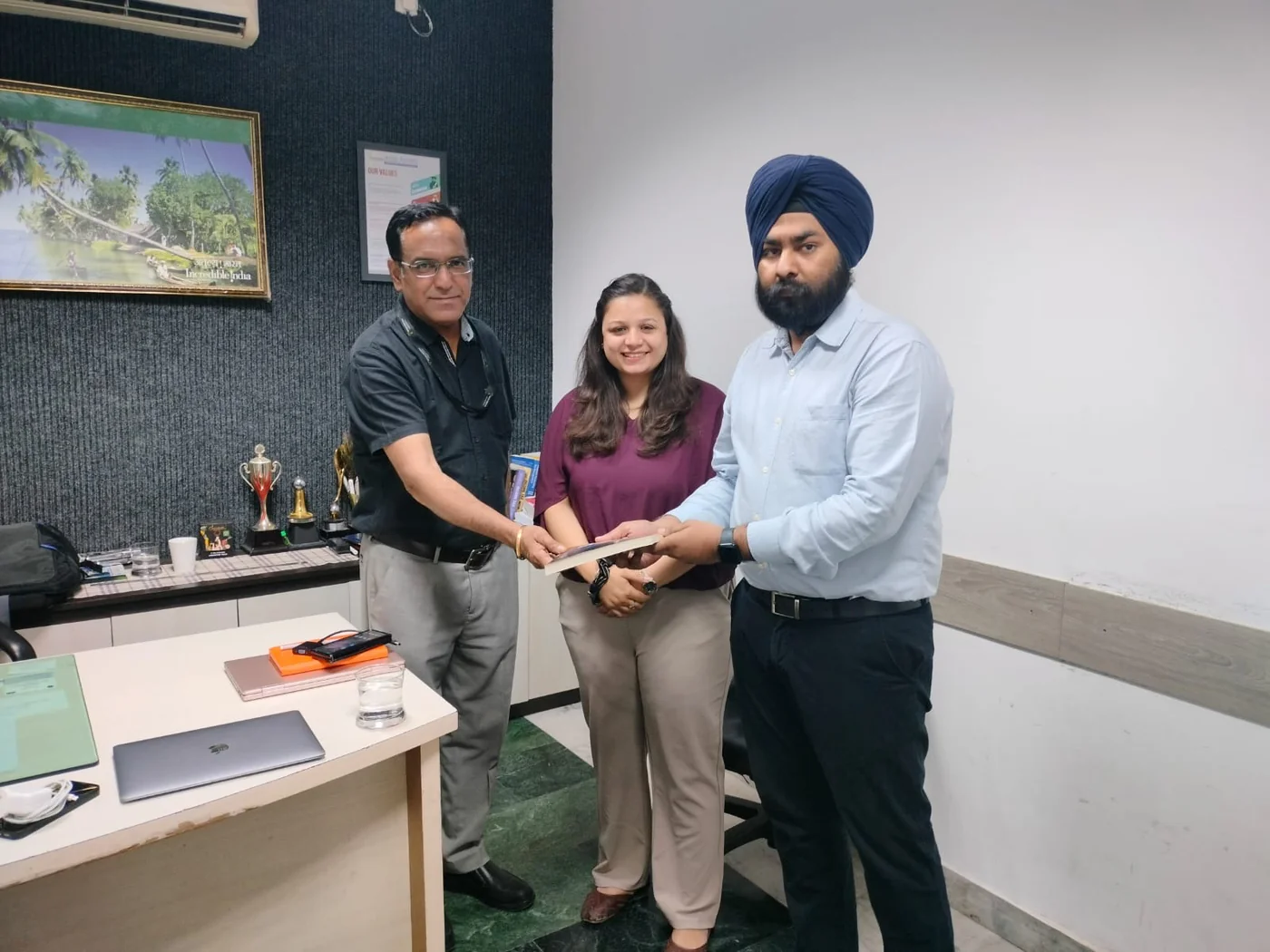
Classroom in Sector 81, or live online
Our centre is at Office No. D003, Ground Floor, Puri High Street, Sector 81, Faridabad, with parking and ground floor access. Learners join from Old Faridabad, NIT, Sector 15, Ballabgarh, Greater Faridabad and across Delhi NCR.
Online batches are live, not recorded: same trainer, same assignments, same review sessions. Recordings are there for revision.
Getting here
- Puri High Street, Sector 81, Greater Faridabad
- Easy from Ballabgarh, Neharpar and the Sector 80s
- Parking available, ground floor access
- Call before you visit: +91 8383891716
AI video generation course fee
We share the fee on call or at your free demo class, after we understand what you want to make. Same fee for classroom and online.
- 8 modules and a capstone, with live classes
- 6 portfolio videos with trainer review
- Prompt library, templates and notes to keep
- Certificate of completion
- Placement and freelancing support
- Installment option, ask your counsellor for the plan
Fee shared on call or at the demo. AI tool subscriptions are separate.
- Classroom or live online
- Weekday or weekend batch
- Installments available
Upcoming AI video batches
Small batches fill quickly. Book a demo to hold your seat in the batch you want.
| Batch | Days | Mode | Next start date |
|---|---|---|---|
| Weekday | Monday to Friday | Classroom, Sector 81 | Ask on call or WhatsApp |
| Weekend | Saturday and Sunday | Classroom, Sector 81 | Ask on call or WhatsApp |
| Online live | Weekday or weekend | Live online | Ask on call or WhatsApp |
Call or WhatsApp +91 8383891716 for the next start date and timings.
AI video generation course in Faridabad: common questions
What is the fee for the AI video generation course in Faridabad?
We share the fee on call or at the free demo class. It is the same for classroom and online batches, and an installment option is available. AI tool subscriptions, if you choose to buy any, are paid separately to the tool companies.
Do I need to appear on camera?
No. You can make faceless videos, use AI visuals with a voiceover, or use an AI presenter. Appearing on camera is your choice, not a requirement.
Do I need video editing experience?
No. The course starts from zero. You learn editing basics in CapCut in module 6, and get an introduction to Premiere Pro and DaVinci Resolve.
Which AI video tools will I learn?
We cover leading video, image, voice and editing tools such as Google Veo, Sora, Kling, Runway, Midjourney, ElevenLabs, HeyGen and CapCut. The exact list is updated before each batch because tools change quickly.
Do I have to pay for AI tools?
You can start with free credits and free tiers. For regular or client work, most people need one or two paid plans. We show you free routes first and help you plan a budget before you buy anything.
Are AI videos good enough for professional use?
For reels, ads, explainers and concept visuals, yes, when they are planned and edited well. Long consistent scenes, exact text and complex motion still need skill and workarounds, which the course teaches.
Can I make videos in Hindi?
Yes. You learn to write Hindi and Hinglish scripts, create Hindi voiceovers, and dub videos into other Indian languages where the tools support them.
Will my skills become outdated when tools change?
The tools will change, but the craft does not: story, shot planning, prompt writing, editing and packaging. We teach those first, and you get updated notes on tools as they change.
Can I earn from AI videos?
Many learners take freelance video work or make content for their own business. Income depends on your effort, skill and market, so we do not promise any fixed amount. We do help you build a portfolio and find your first clients.
What computer do I need?
Most AI video tools run in the browser, so any recent laptop with a stable internet connection works. Editing is smoother with 8 GB RAM or more.
Is the online batch live or recorded?
Live, with the same trainer, projects and reviews as the classroom batch. Recordings are available for revision.
How is this different from the Video Editing with AI course?
The Video Editing with AI course focuses on editing footage you already have. This course focuses on creating the footage itself with AI, then editing it into finished videos.